Excel to Invoice
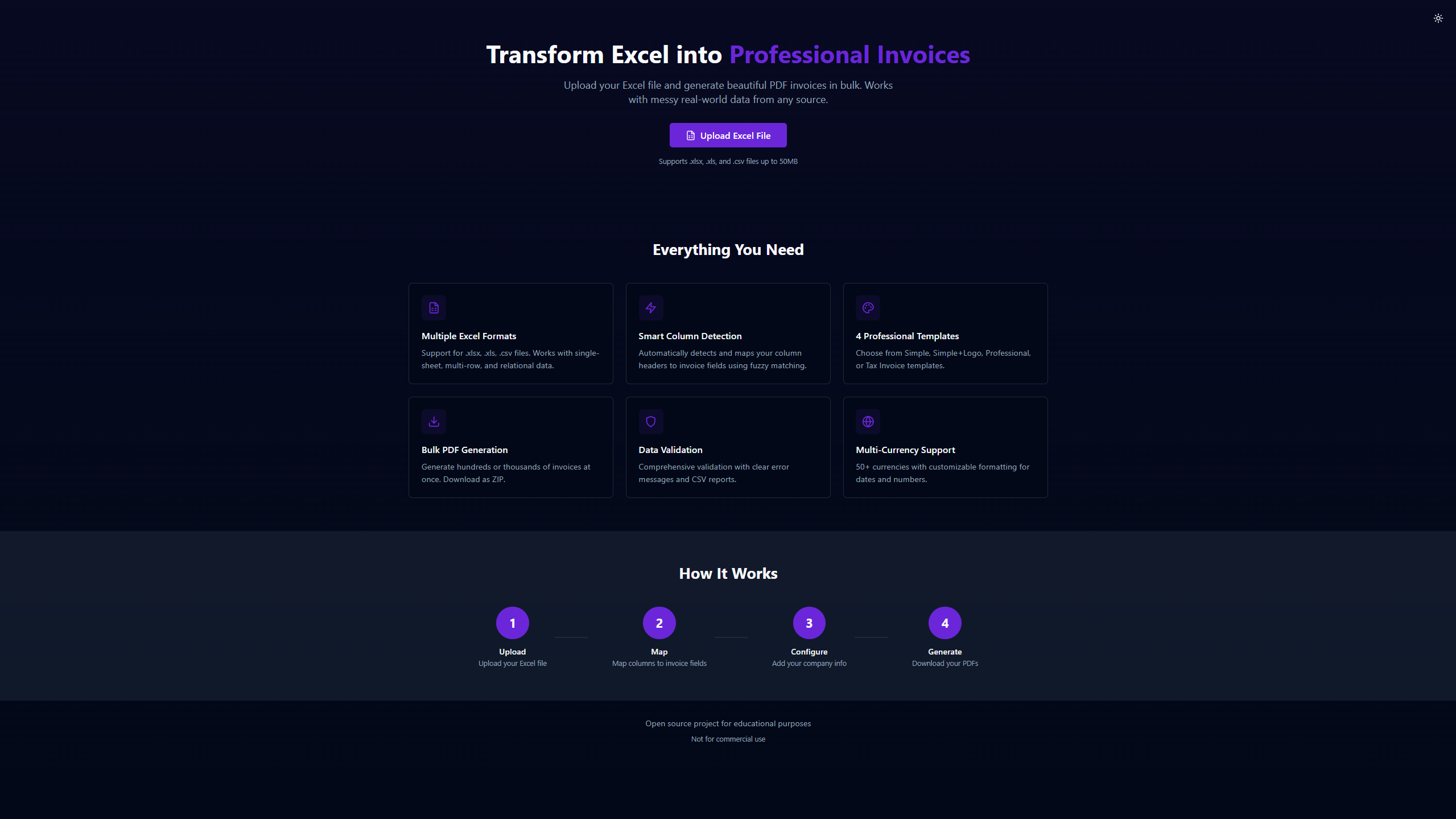
Transform Excel spreadsheets into professional PDF invoices in bulk. Smart column detection, 4 professional templates, and real-time generation progress.
Overview
This project started as a solution to a common pain point: businesses often have invoice data trapped in spreadsheets, exported from various accounting systems, or manually compiled, and they need a fast way to turn that data into professional PDF invoices. Excel to Invoice is a minimum viable product (MVP) that demonstrates how this workflow can be fully automated.
The Problem
Many businesses rely on spreadsheets for tracking invoices, whether exported from accounting software like QuickBooks, Xero, or Zoho, or manually maintained. Converting this data into professional, branded PDF invoices typically requires either manual entry into invoicing software or expensive enterprise solutions. Small and medium businesses needed an affordable, flexible solution that could handle messy real-world data without requiring technical expertise.
The Solution
Excel to Invoice bridges the gap between raw spreadsheet data and professional invoices. The platform accepts three different Excel formats to accommodate various business workflows: simple single-row invoices, multi-row invoices with line items grouped by invoice number, and relational multi-sheet structures with separate customer, invoice, and line item data. Smart column detection automatically identifies common field names using fuzzy matching, while still allowing manual overrides when automatic detection falls short.
How It Works
Upload your Excel file containing invoice data in any of the three supported formats
Review the automatic column mapping and adjust any fields that need correction
Enter your business details including company name, logo, address, and bank information
Choose from four professional invoice templates designed for different use cases
Configure currency, date format, and number formatting preferences
Generate all invoices with real-time progress tracking via WebSocket updates
Download the complete ZIP file with invoices organized into paid and unpaid folders
Key Features
- Multi-format Excel support: single-sheet, multi-row invoices, and relational multi-sheet data
- Smart column detection with fuzzy matching for QuickBooks, Xero, Zoho exports
- 4 professional invoice templates: Simple, Simple + Logo, Professional, Tax Invoice
- Bulk PDF generation with real-time WebSocket progress updates
- Comprehensive data validation with clear error messages and CSV reports
- 50+ currency options with customizable formatting for dates and numbers
- Automatic organization of generated PDFs into paid/unpaid folders
- Dark mode support for comfortable extended use
Technology Stack
Customization & Extensibility
This MVP is built with extensibility in mind. The modular architecture separates parsing, mapping, validation, and PDF generation into distinct services, making it straightforward to customize for specific business needs. Potential extensions include: adding custom invoice templates with unique branding, integrating payment gateway links directly on invoices, connecting to accounting APIs for automatic data import, implementing email delivery for generated invoices, adding support for recurring invoice schedules, and white-labeling the entire solution for resale to specific industries.
Results
The platform successfully handles bulk generation of hundreds of invoices in a single session. The validation system catches data issues before PDF generation begins, preventing wasted processing time. Real-time progress updates keep users informed throughout the generation process, and the automatic paid/unpaid folder organization saves time on post-generation file management.